Assessment Flow
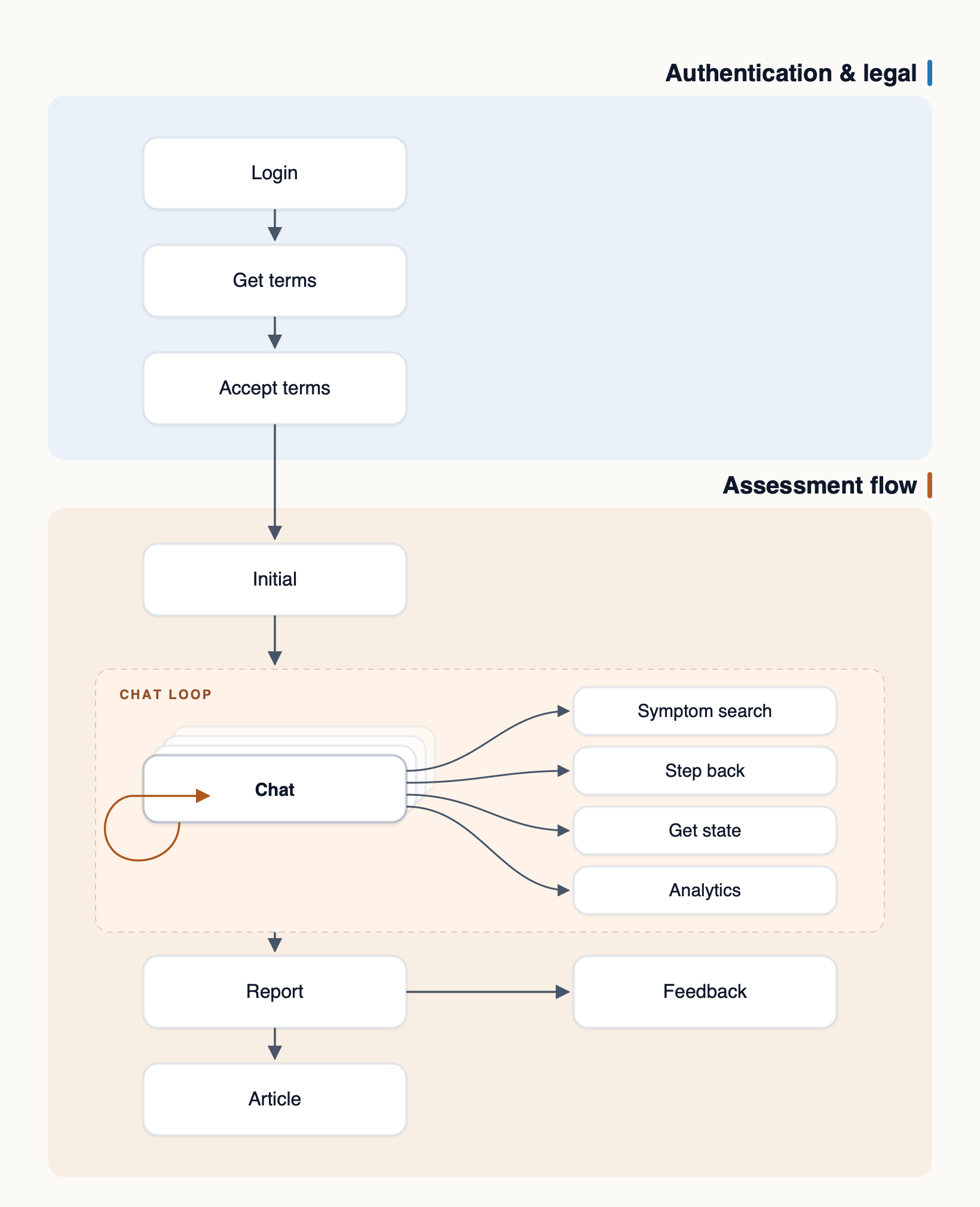
The assessment flow is started after the initial endpoint is successfully called.
Depending on the user’s query, the Symptom Checker will either provide general information or initiate an assessment.
The core of the assessment flow is in the series of questions. The system calculates probabilities based on complex algorithms and asks for relevant symptoms, durations and comorbidities, attempting to pin down the most probable conditions or to identify possible red flags.
During the assessment flow, each API response will return either a follow-up question or a report. There are two types of reports:
- Consultation report – generated at the end of a completed assessment. This response includes disclaimer messages and requires a separate call to
GET /reportto retrieve the full report. - Premature report – generated when the Symptom Checker determines that no meaningful outcome can be reached with the available information. In this case, the report is returned immediately in the response.
Here is a simplistic representation of how the entire flow might looks, ending in a consultation report.